Skip to content
Independent2025-PresentLive

Ad Campaign Organizer

Every ad two teams run goes through it: built once, proofed inside the real Meta or Google frame it will ship in, and approved in one window. Around 120 variants a month.
Next.jsFirebaseFirestore
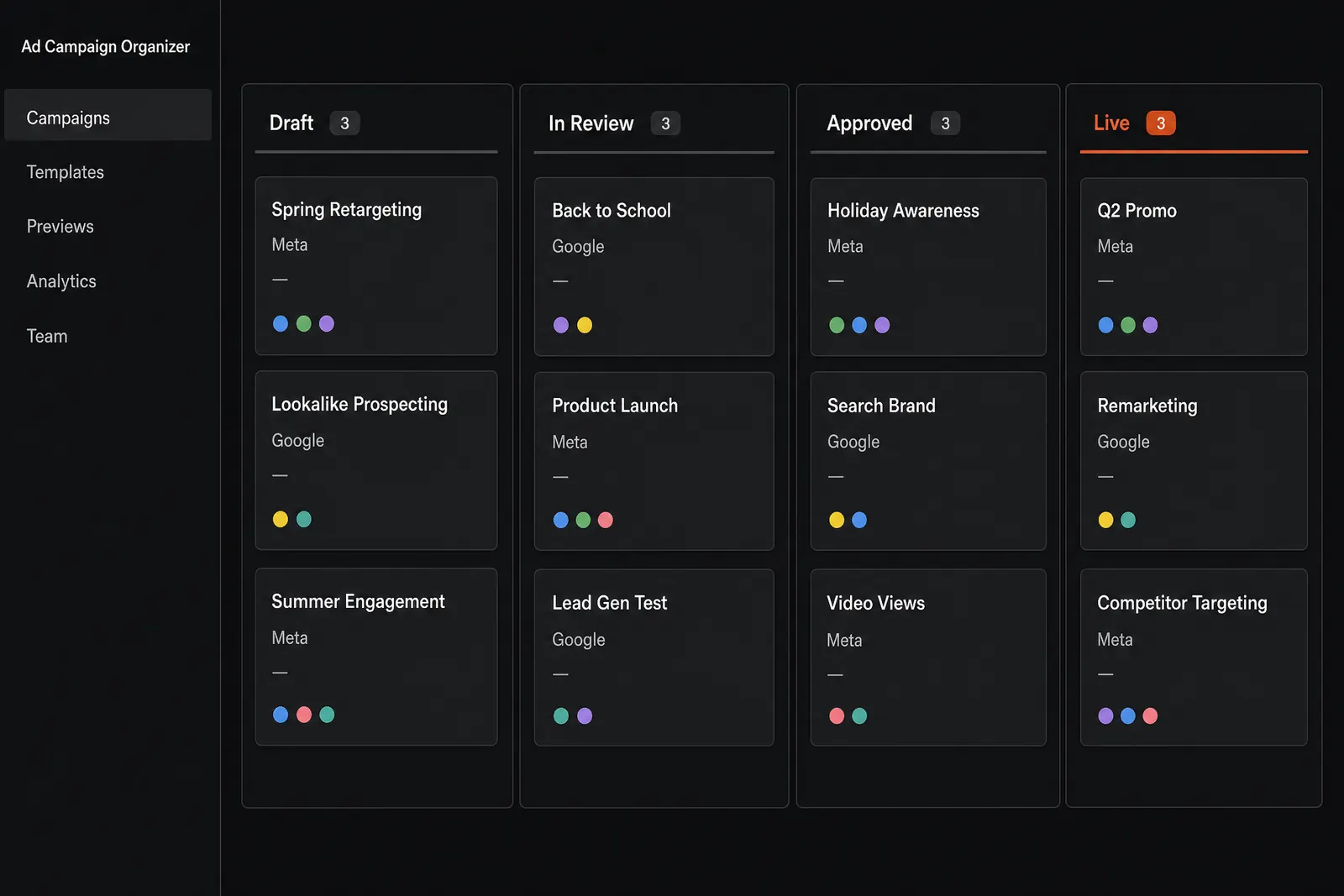
Concept mockup of a campaign board: a dark dashboard whose left sidebar is headed Ad Campaign Organizer above nav items for Campaigns, Templates, Previews, Analytics and Team, beside four status columns (Draft, In Review, Approved and Live) holding campaign cards each tagged Meta or Google, with a blank date placeholder and a row of colored collaborator presence dots. The Live column heading is the one orange element.
Concept mockup. Every ad in flight, and which of the four states it is in — the board both teams open first.

The Problem

An ad is never one thing. It is artwork, a headline, body copy, a call to action and a destination, and every one of them is approved in a different place — the image in one window, the copy in another, the platform's own preview somewhere else entirely. Nobody ever sees the whole ad until it is live. Then the copy that was signed off gets retyped by hand into Meta or Google, which is exactly where a typo turns into a paid impression.

What I Built

A web app the whole campaign runs through. An ad is built once and rendered inside the frame it will actually ship in — a Meta feed post, an Instagram placement, a Google unit — with its copy sitting beside it rather than in another tab. Reviewers mark up the artwork itself, pinned to the pixel they mean, and sign-off moves in two tiers. Once an ad is approved its copy is there to be copied, so no one retypes a headline into the ad platform. Every version is kept, so the ad that shipped is always the ad that was approved.

Gallery
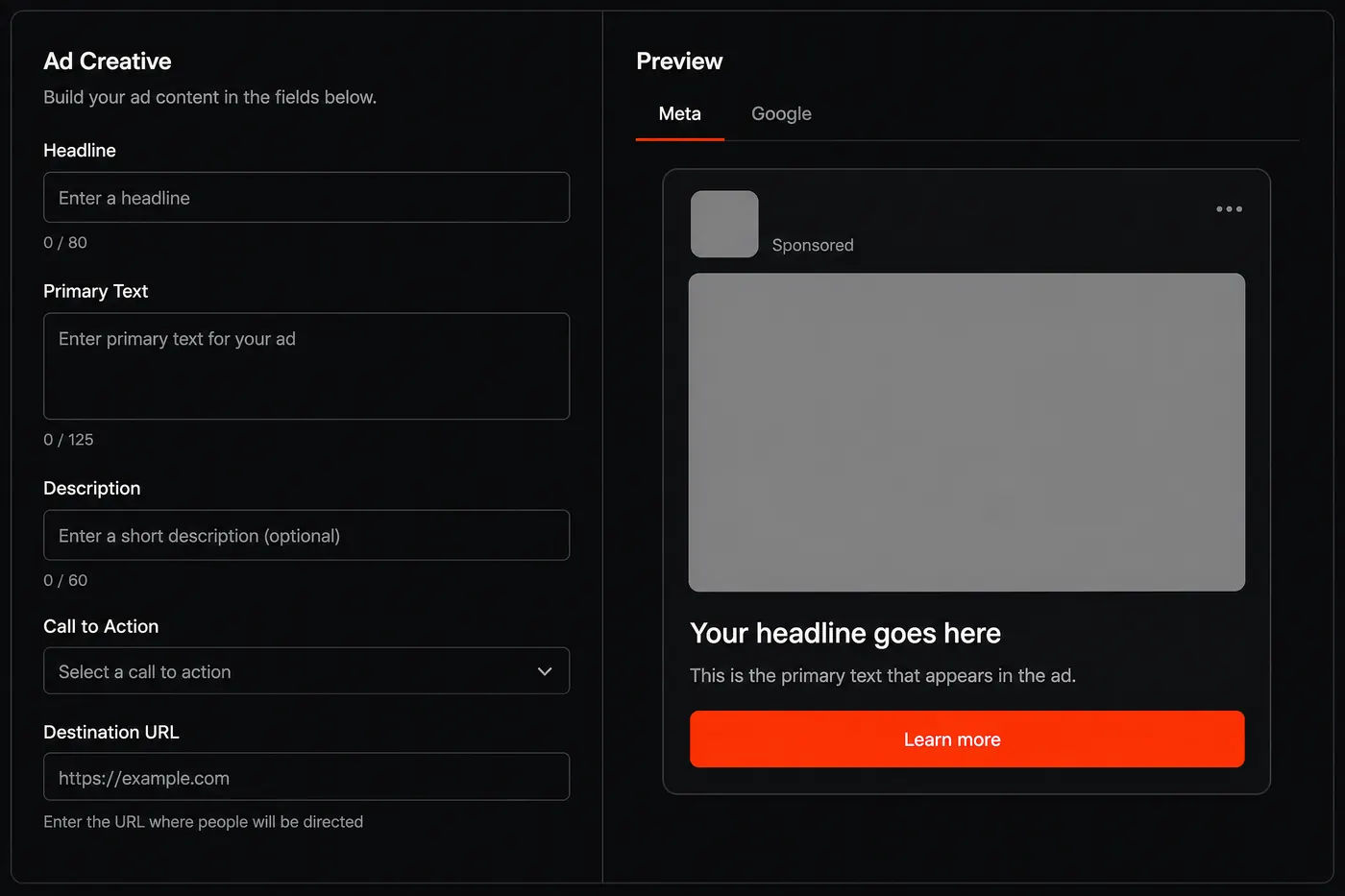
Concept mockup of the ad preview step: on the left an Ad Creative form with empty Headline, Primary Text, Description, Call to Action and Destination URL fields, each under a zeroed character counter; on the right a Preview panel with plain Meta and Google tabs rendering an empty draft ad inside a social feed post frame: blank profile and image placeholders, a Sponsored label, and an orange Learn more button.
Concept mockup. Building the ad: the copy and the artwork it belongs to, side by side, in the shape the platform will actually render it.
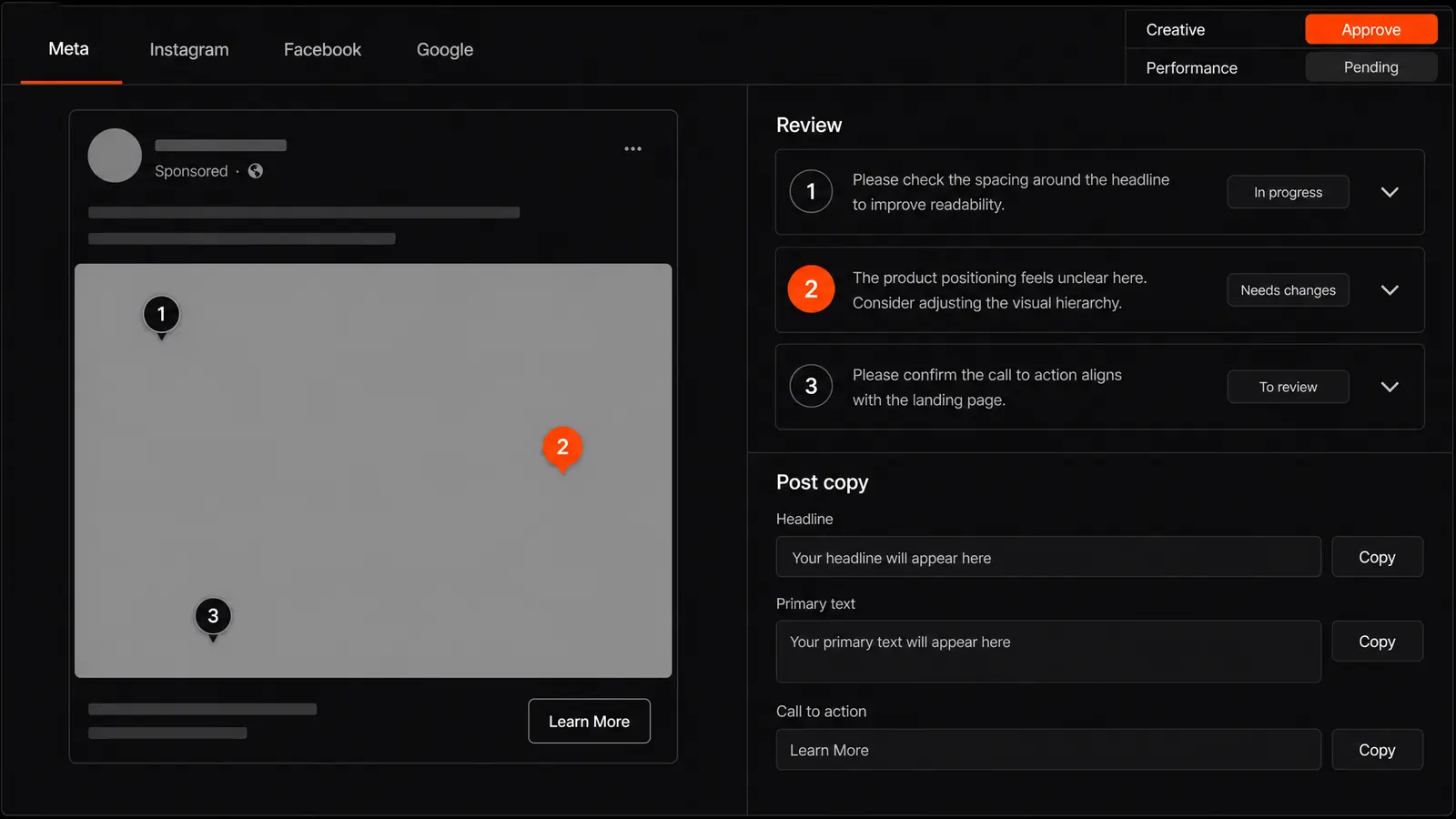
Concept mockup of the proofing screen: a tab strip reading Meta, Instagram, Facebook and Google with Meta active, above a two-column view. On the left, a draft ad inside a social post frame — a blank profile circle, a Sponsored label, an empty grey image placeholder and a Learn More button — with three numbered review pins dropped onto the artwork, the second one vivid orange to mark it as selected. On the right, a Review panel of three comment cards whose numbered badges match the pins, each with a status chip reading In progress, Needs changes or To review; below it a Post copy panel with read-only Headline, Primary text and Call to action fields, each with its own Copy button. Top right, a two-tier approval control: Creative, approved in orange, above Performance, still pending.
Concept mockup. The whole argument for the tool, in one frame. The ad, its copy, the notes pinned to the pixels they refer to, and both sign-offs — in one window, where there used to be several. The Copy buttons are the quiet part: approved copy gets pasted into Meta or Google, never retyped.
Screenshot of the Ad Campaign Organizer app's own share card, showing a dashboard preview with three colored campaign tiles.
Real screenshot: the app's own share card.

How It Works

01Creative + copy in
02rendered in a real platform frame
03pinned review, two-tier sign-off
04approved copy, ready to paste into Meta or Google

Outcome

It is in daily use, and it is still being built. Thirty-five to forty ads a month, each in three sizes with its own copy, is around 120 pieces of creative going through one review — and the copy that reaches Meta or Google is now copied rather than retyped. The features that land are the ones the people using it every day ask for.

~120Ad variants a month
2Teams, every day

My role

Solo, and still solo: the product, the front end, the data model, the infrastructure, and the support. It is not a project that shipped and stopped — it takes requests from the two teams that live in it, and they get built.

Tools

Next.js 15React 19TypeScriptFirebase AuthFirestoreCloud RunVercel BlobTailwind CSSRadix UIZodsharpRecharts

Start a project

What do you need built?

Tell me what the thing has to do and who has to use it after I leave. We'll get on a call, and I'll tell you what it takes.

Start a project